We’ll look at why inventory is so difficult for manufacturers to manage, how an ERP improves visibility and control, the processes needed to keep inventory data accurate and how manufacturers use Genius ERP to solve real-world inventory problems.
Inventory can be one of the hardest parts of a manufacturing business to manage. You need enough material on hand to keep jobs moving, but not so much that cash is tied up in parts sitting on a shelf. For custom manufacturers, the challenge is even greater: every job can require different materials, lead times and quantities, and priorities can change quickly.
When inventory information is incomplete or out of date, the effects spread across the business. Purchasing places rush orders. Production waits for missing parts. Employees lose time looking for materials. Jobs run late, and it becomes harder to understand their true costs.
An ERP improves inventory management by giving manufacturers a real-time view of materials and connecting inventory with purchasing, production, scheduling and costing. This helps teams identify shortages earlier, make better purchasing decisions and control excess stock. But software is only part of the answer. Accurate inventory also depends on clear processes and consistent habits on the shop floor.
Why Inventory Management is So Important in Manufacturing
Inventory management involves overseeing all of your inventory and stock. It can include raw materials, purchased components, work in progress, spare parts and completed goods waiting to ship. Manufacturers need to know not only how much of each item they have, but also where it is, whether it is available, what job it is reserved for and when more will be needed.
That makes inventory management closely connected to almost every other part of the operation. Engineering determines what a job requires. Purchasing orders the materials. Receiving records what arrives. Production consumes and moves items. Accounting tracks their value and their effect on job costs.
If each department keeps its own spreadsheet or relies on paper, those records quickly fall out of sync. A purchasing manager may see a quantity on hand without knowing that it has already been allocated to another job. A planner may release work based on a bill of materials that has changed. A part may be physically moved without the transaction being recorded, leaving the system and the shelf telling two different stories.
These gaps usually lead to one of two problems: too little inventory or too much.
Too little inventory creates shortages, production delays, rush freight and missed delivery dates. Too much inventory ties up working capital, takes up space and increases the risk that materials will become damaged or obsolete. The goal is not to carry the least inventory possible. It is to have the right materials available in the right quantities when production needs them.
Why Spreadsheets and Manual Counts Stop Working
Spreadsheets can be useful when a shop is small and inventory is limited. But they rely on people to enter every receipt, movement and material issue correctly. They do not automatically reflect what is happening in purchasing, production or engineering, and multiple copies can make it difficult to know which information is current.
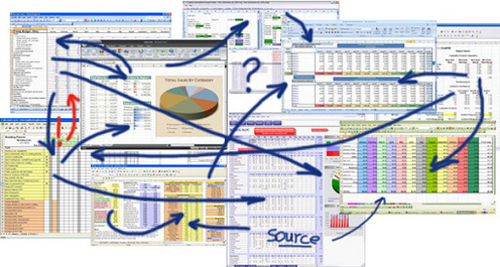
Seriously, Excel Is Not an ERP
Many manufacturing companies rely on Excel for all sorts of tasks, from scheduling to inventory management to data analysis, because it is readily available, easy to use, and is seen as a cost-effective solution for organizing and planning business operations.
Manual counts have similar limitations. A physical count gives you a snapshot of what was on the shelf at one moment. As soon as employees receive, move or consume material, that count begins to change. If transactions are only entered at the end of a shift or after a job is complete, planners and purchasers have to make decisions using old information.
Growth makes these problems more visible. More jobs mean more parts, more transactions and more people touching inventory. Add multiple warehouses, stockrooms or production sites, and it becomes increasingly difficult to maintain an accurate picture without a shared system.
One of the best decisions you can make as a custom manufacturer is to use an ERP system for managing inventory. Fully integrated inventory management systems, like those found within a manufacturing-specific ERP, provide accurate inventory counts in real time. With one simplified and completely integrated system, you can monitor your inventory needs, manage costs and replenish stock based on actual on-the-job demand.
ERP inventory management software lets you keep tabs on your inventory down to the serial number, helping prevent production interruptions caused by unexpected material shortages. Your team will also have up-to-date information about what’s in stock and where to find it, saving time and improving shop floor efficiency.
5 Ways an ERP Improves Manufacturing Inventory Management
By connecting inventory with the rest of the operation, an ERP gives teams a current view of what is on hand, reserved, on order and required. Here are five ways that better information helps manufacturers manage materials, control costs and keep production moving.
1. Automation
Spreadsheets and manual counts require someone to update inventory information continually. An ERP automates many of these routine tasks, updating quantities as materials are received, moved, allocated and consumed.
ERP systems can also generate purchase suggestions or alerts when stock reaches a set level or upcoming demand creates a shortage. Common materials can be replenished using minimum and maximum levels, reorder points or Kanban methods, while job-specific items can be purchased according to production requirements.
The buyer still applies judgment, especially when lead times, price changes or supplier constraints are involved, but the system reduces manual work and provides better information for deciding what and when to order.
2. Real-time Inventory Tracking
Real-time tracking keeps inventory data aligned with what is physically in the shop. Instead of waiting for someone to update a spreadsheet or complete a manual count, employees can see what is on hand, reserved, on order and required.
Manufacturers can track materials by warehouse and bin location and, when needed, by lot or serial number. Barcode, QR code, RFID and mobile tools make it easier for employees to record inventory activity where it occurs, reducing duplicate entry and helping inventory counts stay current.
This visibility also saves time. Employees can look up where a part is stored instead of searching shelves or asking around. Purchasing can check whether material is already on order, and production can see whether the components required for a job are available before work begins.
3. Full Integration
Inventory does not operate separately from the rest of a manufacturing business. Engineering determines what each job requires. Purchasing orders the materials. Production consumes them, and accounting tracks their value and effect on job costs.
An ERP connects inventory with bills of materials, job demand, production schedules, purchasing and costing. Materials can be reserved or allocated to specific jobs before production starts, preventing the same stock from appearing available to multiple orders. If a required component is missing, the system can flag it for purchasing before the job reaches the floor.
Integration also supports more accurate job costing. When materials are issued to the correct work order and valued consistently, manufacturers get a clearer view of what each job actually cost. This helps them evaluate margins and make better quoting and pricing decisions.
4. Inventory KPIs
It is difficult to improve inventory management without a way to measure what is happening. ERP reports and dashboards help manufacturers track inventory performance over time and identify where their processes need attention.
Useful inventory KPIs can include inventory turnover, carrying costs, stockouts, write-off rates, order status and purchasing performance. The purpose is not to track every possible measure, but to choose a small set that reveals where inventory is creating delays or unnecessary costs.
For example, frequent stockouts may point to inaccurate lead times, late purchasing or poor transaction discipline. Growing write-offs may indicate that reorder settings no longer reflect demand. With the underlying data in one system, teams can investigate the cause instead of repeatedly dealing with the same problem.
5. Forecasting and Managing Excess Inventory
Forecasting helps manufacturers maintain enough stock to support production without tying up too much cash in inventory. An ERP combines current stock, open purchase orders, reserved quantities, past usage and upcoming job demand to provide a clearer picture of what will be needed.
This is especially valuable for custom and high-mix manufacturers, where historical sales alone may not be a reliable guide. Planning from actual and upcoming jobs gives purchasers more time to procure materials and a better basis for deciding what to buy.
Better forecasting also helps control excess and obsolete inventory. Teams can review usage history, planned demand and inventory turnover to identify materials that are no longer moving. They may be able to return unused stock, use it on another job, reduce future order quantities or stop replenishing it before more cash becomes tied up on the shelf.
Good Inventory Management Depends on 4 Good Habits
An ERP provides the structure and tools to manage inventory, but it cannot correct information that was never entered. If employees take materials without recording them, put parts in the wrong location or use different processes from one shift to the next, inventory accuracy will suffer.
The most effective systems are supported by four consistent practices.
1. Use One Defined Process
Decide how materials will be received, labeled, stored, moved, issued and counted. Then use that process across departments and locations. Employees should know which transactions they are responsible for and when to complete them.
The method itself can vary by item. A manufacturer may use hard allocation for expensive job-specific components, min-max replenishment for common supplies and backflushing for predictable material consumption. What matters is that each method matches the operation and is followed consistently.
2. Keep Inventory Locations Organized
Every material should have a clear place to go. Bin locations, labels and organized storage make items easier to find and make system quantities easier to verify. This does not require a large warehouse or an elaborate layout. Even a small shop benefits from designated locations and a regular cleanup routine.
Organization also prevents avoidable purchases. A box of parts sitting in the wrong corner of your shop is effectively unavailable if no one knows it is there. When physical locations match the ERP, employees spend less time searching and are less likely to reorder material they already have.
3. Record Transactions as Work Happens
Inventory data is only useful when it reflects current activity. Receiving, transfers and material consumption should be recorded as close to the transaction as practical. Barcode scanning and mobile devices can reduce the effort involved, but employees still need to make scanning part of the job rather than something they intend to catch up on later.
Cycle counts can then be used to verify selected items regularly instead of depending only on a disruptive full physical inventory. When a discrepancy appears, the goal should be to find out why it happened and correct the process, not just adjust the number.
4. Review settings and reports regularly
Reorder points, minimum quantities, lead times and safety stock should not be set once and forgotten. Demand changes. Suppliers improve or fall behind. Parts that were once used often may become obsolete.
Reviewing inventory reports on a regular schedule helps manufacturers keep planning data current. It also turns analytics into a working habit rather than a report that is only opened when something goes wrong.
How manufacturers are improving inventory with Genius ERP
The effect of better inventory management is easiest to see in day-to-day operations.
Machitech grew from producing 30 machines per year with 40 employees to more than 300 machines with 250 employees across seven facilities. Its manual processes, including Excel files for purchase orders and part numbers, could not provide the coordination the company needed. With Genius ERP, Machitech can synchronize item numbers and bills of materials across its facilities and use QR codes to keep inventory information accurate and current.
Marathon Equipment previously managed inventory largely by looking at what was on the shelf and relying on employees to tell one of its buyers when something was running low. The company regularly faced parts shortages and job delays. Connecting inventory and purchasing in Genius ERP gave Marathon a systematic way to track materials and place and monitor purchase orders, reducing the last-minute scrambling that had slowed production.
QTG used to stop production for roughly three hours each week to count inventory manually. With real-time inventory information in Genius ERP, the company reported saving 156 hours of labor per year. QTG can also assign items to specific jobs and see what stock it needs to order and when, helping it carry the materials production requires without filling its warehouse unnecessarily.
These examples are different, but the underlying change is the same: inventory becomes part of the operating system of the business rather than a separate record that has to be checked and reconciled.
Build a More Reliable Inventory Process
Good inventory management is a balance. Manufacturers need enough material to keep production moving, but they also need to protect cash, control carrying costs and avoid waste. That balance is difficult to maintain when information is spread across spreadsheets, paper records and individual departments.
A manufacturing ERP brings inventory, purchasing, production, engineering and costing together. It gives teams a shared view of material availability, connects replenishment to actual demand and provides the information needed to spot shortages and excess stock earlier.
The technology works best when it is paired with clear processes: organized storage, timely transactions, regular counts and ongoing review. Together, those tools and habits create inventory data that people can trust—and better decisions across the shop.
Learn more about how Genius ERP inventory management helps manufacturers track materials, plan purchases and keep production moving.
Get your eBook Scared to implement a new ERP?
"*" indicates required fields