
CAD2BOM Engineering ERP Software Built for Manufacturers

Engineering connected to your ERP, the way it should be

Turn CAD designs into BOMs and RFQs to reduce manual work, save engineering time, and minimise errors across production.

CAD2BOM Engineering

Many ERP systems, including those built for manufacturing, still leave engineering disconnected from the rest of the business. Genius ERP works differently. Our CAD integration connects engineering directly with purchasing and production, helping manufacturers improve communication and keep work moving.

CAD2BOM also supports true concurrent engineering with progressive release, allowing production to begin on early project stages while engineering teams continue developing later phases.

Accelerate Production

Move products into production sooner

Reduce delays and improve lead times with CAD2BOM. Access design revisions in real time from the shop floor, identify material requirements earlier, and spot delayed components before they impact production schedules. Create new products from scratch or use previous jobs, specifications and historical information to speed up custom design work and improve planning accuracy.

Request a demo
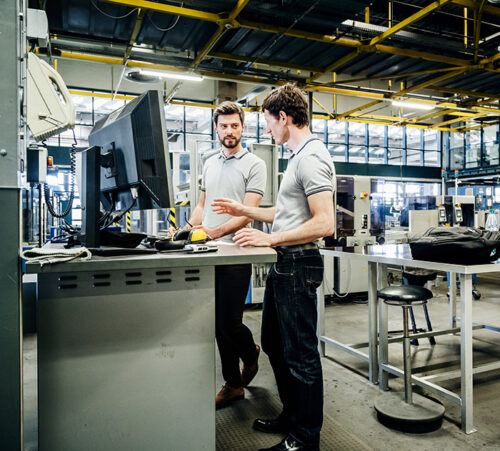
Two printing factory engineers working at a console together.
Instant BOM Generation

Move seamlessly from engineering to production

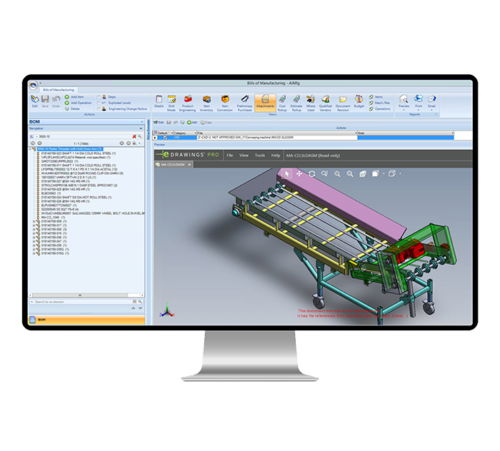
Generate a production-ready BOM from your CAD designs in one click. Create preliminary purchasing lists before the full BOM is complete, so long lead-time items can be ordered sooner. Genius ERP keeps BOM and purchasing information connected, giving everyone accurate, up-to-date information and better visibility as projects move from engineering into production.

Request a demo
cad2bom technical drawing genius screenshot
Error-Free Efficiency

Remove duplicate work and improve accuracy

By keeping CAD software and Genius ERP synchronised, teams can avoid repetitive data entry and reduce errors caused by disconnected systems. Comparative display tools make it easier to identify differences and maintain accurate information throughout the process. Create more reliable quotes and estimates earlier in the design phase while using real-time information to support day-to-day decisions.

Request a demo
tock image of an Afro-Caribbean male designing electronic circuit boards ( PCBs). He’s sitting at a desk with a large computer screen displaying a variety of apps

Key Features and Functionality

Stop repeating manual tasks such as entering operations, materials and manufacturing information part by part and assembly by assembly. Give engineers more time to focus on engineering work instead of administration. Import CAD models directly into Genius ERP with a single click to create accurate BOMs ready for purchasing and production. Easily review, edit and refine information when needed.

  • Create parts, multi-level BOMs, and raw materials
  • Two-way updates between CAD software and Genius ERP
  • Compare and merge BOMs
  • User-friendly interface
  • Add inspection steps for parts and assemblies
  • Progressive BOM release for long lead-time materials
  • Configurable mapping between CAD properties and Genius ERP fields
  • Plan manufacturing processes while products are still being designed
  • Solidworks and Inventor Integration
  • Support for Inventor Frame Generator, Solidworks Weldments, and Sheet Metal
  • Control BOM routings at CAD level
  • Create and manage unlimited BOM levels
  • Preliminary purchasing and production with concurrent engineering
  • Separate estimating BOMs from engineering BOMs

Built for the people using it every day

Whether you work in engineering, purchasing, production or management, Genius ERP gives you the tools and information you need to get the job done right.

Engineers

A detailed BOM in a single click

Convert CAD models into detailed, multi-level BOMs with one click, helping engineers reduce manual work and improve productivity. Track engineering activity with integrated reporting tools that provide visibility into workflows, workloads, assignments and time tracking. Concurrent engineering capabilities also help reduce product development time.

CAD2BOM removes repetitive work such as manually entering operations, materials and costing information for every part and assembly. The interface also gives users a clear view of manufacturing information and allows updates directly from CAD properties where needed.

Production Managers and Purchasers

Move smoothly from design to production

Use CAD2BOM to create a detailed Bill of Manufacturing with routing steps and work instructions, ready for purchasing and production. Share design progress, drawings and estimates for approval, track revisions, monitor milestones and keep feedback connected to the job.

CAD2BOM also supports concurrent engineering, helping production start sooner while engineering work continues. This can shorten development time, reduce delays and help projects move through the business more efficiently.

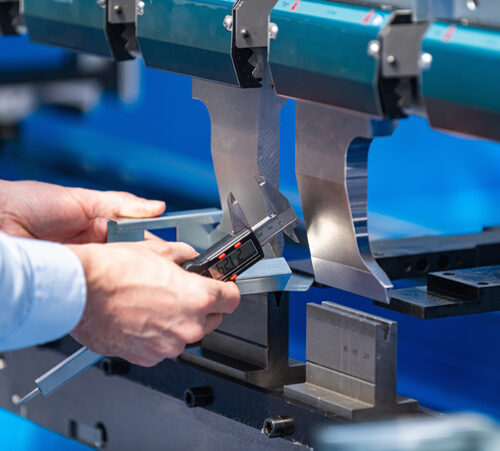
Metal Press Brake, Servo Bending Machine
Case studies

Manufacturers rely on Genius ERP every day

From businesses buying their first ERP system to manufacturers replacing outdated software, companies choose Genius ERP to improve visibility, keep production moving, and gain better control across their operations. See how they’ve done it.

View all case studies

Frequently asked questions

What is CAD2BOM?

CAD2BOM is a process that converts CAD designs directly into a bill of materials (BOM) inside an ERP system. Instead of manually re-entering parts, materials and manufacturing information, CAD2BOM automatically transfers data from engineering into production. This helps manufacturers reduce manual work, improve accuracy and move projects from design into production more efficiently.

What is a Bill of Materials (BOM)?

A Bill of Materials (BOM) is a complete list of the parts, materials, components and quantities needed to manufacture a product. It often also includes routing information, work instructions and manufacturing details. A clear and accurate BOM helps manufacturers improve purchasing, production planning and inventory management while reducing errors and delays.

What is Engineer-to-Order (ETO) manufacturing?

Engineer-to-Order (ETO) manufacturing is a production approach where products are designed and engineered to meet specific customer requirements. Unlike standard products, ETO projects often involve custom designs, changing specifications and close coordination between engineering, purchasing and production. Manufacturers working in ETO environments often require ERP software that can manage revisions, custom BOMs and project-based workflows.

What are the benefits of connecting engineering to your ERP?

Connecting engineering to your ERP creates a more consistent flow of information across the business. Design changes, BOM updates and manufacturing details can move directly from engineering into purchasing and production without manual re-entry. This helps reduce errors, improve visibility and shorten the time it takes to move products into production.

How does ERP software support concurrent engineering?

ERP software supports concurrent engineering by allowing different stages of a project to progress at the same time. Purchasing can begin ordering long lead-time materials while engineering work continues on later stages of a design. This helps manufacturers reduce delays, improve lead times and bring products to market more quickly.

close-btn

Let’s talk about your shop