



Etienne opens with a number that reframes the whole session: 75% of ERP implementations are considered failures on the market, and it’s rarely just about picking the wrong software — it’s usually about not treating the purchase like the structured project it actually is. He walks through a ten-step process, each step with a realistic time allocation, built around an internal Excel tool that works backward from your target go-live date to tell you exactly when each step needs to start. The advice throughout is specific rather than generic: keep your shortlist to 5-10 vendors, share your real pain points (not just surface-level annoyances) in early calls, request a preliminary budget letter before investing more time, and — critically — never ask for an early demo, since a premature “vanilla” demo risks either overselling the wrong product or underselling the right one. The back half covers what actually happens once you’ve signed: a three-phase delivery approach (knowledge gathering, transfer, and application) typically running 3-6 months, with go-live support extending all the way through the first closed accounting month. If your last ERP purchase felt chaotic, or you’re about to start one and don’t know where to begin, this gives you an actual sequence to follow rather than a vague list of tips.
What You’ll Learn In This Webinar
Chapter 1 — Deployment and Training Options
After a quick Genius overview (30+ years in business, ~110 employees, tens of thousands of users across North America, 96% retention, 25% compounded annual growth, strong Capterra/Software Advice recognition, a focus on custom manufacturing with CAD2BOM integration and industry-leading DBR/TOC scheduling), Etienne covers deployment options: purchasing licenses to install on your own servers, a subscription model still hosted on your own infrastructure, or a fully hosted cloud solution. Genius Academy offers self-paced video training on basic functionality (so consultants aren’t billing for simple click-through questions), plus free thrice-weekly “canteen” sessions with a consultant for quick real-time questions.
Chapter 2 — The Ten Step ERP Project
Purchasing an ERP should be managed as its own project, using something like Genius’s internal Excel tool that works backward from a target go-live date to flag exactly when each step should begin. A live poll on the percentage of ERP implementations considered failures shows fairly split guesses (from 25% to 75%) — the real answer, per market data, is 75%, often rooted in poor software or partner selection.
Chapter 3 — Step One: ERP Research
About 2 weeks: a designated champion identifies 5-10 candidate ERPs matching your needs (fewer if you need a very specific feature), prioritizing vendors specialized in your specific industry rather than generic search. Caution against Google’s sponsored-content bias, and a recommendation to use specialized ERP review sites (Capterra, ERP Focus, Software Advice) for unbiased, experience-based feedback.
Chapter 4 — Step Two: Introduction Calls
About 2 weeks: your champion contacts the shortlisted vendors, with the goal of helping each supplier understand your real motivation and pain points — sharing budget, decision process, and deadline. These roughly 30-minute calls should focus on 2-3 core pain points, framed as real business problems (“I don’t have visibility over my material”) rather than surface complaints (“my description field isn’t long enough”) — this stage also serves as mutual pre-qualification, letting a genuinely poor-fit vendor step aside early.
Chapter 5 — Step Three: Preliminary Budget Letters
About 2 weeks: request a preliminary budget addressing your top 3-4 identified pain points, based on what was shared in the introduction call. This isn’t a final price — just a comparable ballpark, useful for eliminating clearly over-budget options or investigating surprisingly cheap ones.
Chapter 6 — Step Four: Preselection and Committees
About 1 week: narrow the 5-10 candidates down to 2-3 finalists based on functional fit and budget. Form an internal ERP selection committee with members chosen for their soft skills and departmental position, acting as functional “watchdogs” — with a reminder that “ERP usually means compromise,” since previously disconnected tools (like QuickBooks plus Excel) now require cross-department data discipline. This step flows directly into roughly 30-minute one-on-one interviews with each committee member (or a single 1-1.5 hour group session if preferred) to understand current tools, needs, and inter-departmental interactions — often literally shown via an existing spreadsheet — enabling a tailored demo built around real root pain points. All interviews should ideally be completed within about a week to avoid interview fatigue and “last-in-line” bias.
“You only get one chance to make a good first impression.” — Etienne, on the importance of timing the software demo correctly
Chapter 7 — Step Six: Software Demonstrations
Schedule all finalist demos within about two weeks (ideally within the same week) with the full decision-making team present, to avoid quality drift across repeated demos and the natural bias toward remembering whichever vendor presented last. Book a 30-minute debrief immediately after each demo while impressions are still fresh. Critically: never request an early demo during the introduction-call stage — a premature, generic demo risks either overselling the wrong fit or underselling the right one, since the vendor hasn’t yet understood your real pain points.
Chapter 8 — Step Seven: Final Decision Making
About 1 week, sometimes with a narrowly scoped follow-up session (e.g., bringing in a draftsman for deeper CAD-specific questions) rather than a full repeat demo. Caution against stretching this step out for months while restarting the process with new vendors, which resets momentum and clouds rather than clarifies the decision — better to move promptly once due diligence from earlier steps is complete.
Chapter 9 — Step Eight: Contract and Deposit
About 1 week: final contract review and fine-tuning, followed by a deposit alongside the signed contract to kick off the project. This is also the point by which any financing or grant applications should already be in progress, since financing is tied to the project as a whole (not a specific vendor) and often takes longer than the selection process itself.
Chapter 10 — Genius Project Delivery Phases
Project kickoff happens about a week after the deposit — the project team is assigned, delivery logistics are discussed (on-site vs. remote training, phased vs. big-bang rollout), and infrastructure/server readiness is confirmed if self-hosting. Genius’s own delivery approach typically runs 3-6 months across three phases: knowledge gathering (2-3 days on-site, going far deeper than the sales-cycle interviews to understand current tools and flag any process needing a custom workaround — essentially a blueprint), knowledge transfer (training, simulation, and workshops tailored to the project, using Genius Academy for base classes), and knowledge application (data scrubbing and migration — for example, migrating only customers active in the last 3 years rather than 20 years of history).
Chapter 11 — Go Live and Support
Go-live support extends all the way through the first full accounting month-end, since many overlooked issues only surface at that point, before handing off to the customer success team. In live Q&A: right-sizing ERP cost and scope is best assessed by comparing multiple vendor quotes and being cautious of unrealistically low initial offers that often converge with competitor pricing later — while also weighing a 5-10-20 year horizon, not just current-year fit.
Chapter 12 — Implementation Process Recap
A full recap of the ten steps, reinforcing that natural pause points exist (research, intro calls, and budget letters can be done at your own pace), but preselection through contract signing should run without long gaps, and momentum should be maintained after signing since data quality and user buy-in matter as much as the software itself. Closing live Q&A: capturing full departmental business requirements upfront (e.g., custom machines plus spare parts plus field installation) directly affects budget, scope, and licensing; ideal selection committee size is about 3-6 people; typical timeline from signed contract to go-live is 3-6 months (anything promised under 3 months warrants scrutiny); the committee doesn’t necessarily need to formally vote, since one solution usually stands out clearly once interviews are done properly; and phased-implementation order is highly customized to what’s being replaced and each company’s specific pain points, though Genius typically works from about four or five common scenario templates. A related webinar on budgeting for an ERP implementation project is previewed for June 15.
FAQ
What percentage of ERP implementations are considered failures?
About 75%, according to market data cited in this session, often rooted in poor software or partner selection rather than the technology itself.
Is it a mistake to ask for a software demo very early in the process?
Yes — requesting a demo during the introduction-call stage risks getting either a great demo of the wrong solution or a poor demo of the right one, since the vendor hasn’t yet understood your real pain points.
How many people should be on an ERP selection committee?
Typically 3 to 6 — enough to include real decision-makers, but not so many that the process becomes disruptive to daily operations.
How long does a typical ERP project take from signed contract to go-live?
Usually 3 to 6 months for small-to-medium manufacturers; anything promised under 3 months is worth scrutinizing.
When should ERP financing or grant applications be started?
As early as possible, ideally well before the contract and deposit stage, since financing is tied to the project as a whole (not a specific vendor) and often takes longer than the selection process itself.

Get your eBook Scared to implement a new ERP?
"*" indicates required fields
Explore related articles
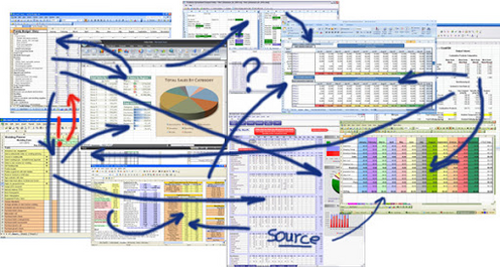
Is Excel the Best Way to Track Inventory?
While you can certainly create inventory tracking spreadsheets in Excel, it is not the best option for inventory management — especially for complex manufacturers.

How will Artificial Intelligence Impact ERP Software?
AI technology built directly into ERP systems can help automate routine processes or create better user experiences by learning and adapting to user's language, allowing systems to better understand and respond to users.
What’s New in the HubSpot–Genius ERP Integration
See how our integration with HubSpot connects customer information, quotes and sales orders across both systems.

A manufacturing ERP that works as hard
as you do.
Give us a call to see how we’re different.

