



Frank frames this session around a single, deceptively simple goal: getting the office and the shop floor working off the same real-time information instead of a “office crew” and a “shop crew” operating like two separate companies. The path there runs through Industry 4.0 concepts — interconnection, data transparency, and decentralized decision-making — but the practical starting point, as he puts it, is almost always going paperless first. Rather than a straight feature tour, the session is built around three composite “real life” stories pulled from actual customer conversations: a customer calling for an order status that takes an hour of physically walking the shop to answer; a valued customer needing a rush order without knowing what it’ll do to the rest of the schedule; and an executive asking whether phase two of a bigger project is ready and on budget. Each story gets resolved live in Genius’s Shop Floor tool — a fully web-based interface usable on tablet or computer, with instant task visibility, live priority-sorted task lists, location-optimized pick lists, and real-time budget/labor tracking. If your team still answers “where’s my order” by walking the floor and checking a binder, this is a good look at what closes that gap.
What You’ll Learn In This Webinar
Chapter 1 — Manufacturing Four Point Zero Concepts
Industry/Manufacturing 4.0 buzzwords (AI, IIoT) promise seamless ecosystem integration, but the practical starting point is almost always going paperless first — centralizing information in one system so it can be gathered and acted on in real time. Today’s focus is Genius’s paperless shop floor tool, an all-in-one interface connecting shop floor activity directly into the ERP alongside office activity.
Chapter 2 — Genius ERP Company Profile
Genius was founded in 1989 by a group of industrial engineers offering consulting services, released its first manufacturing ERP components in 1995, and became a full accounting-inclusive solution by 2006. Today: 30 years in business, 100+ employees, thousands of users across North America, and a 96% retention rate.
Chapter 3 — Unique Manufacturing ERP Features
Genius is built for custom manufacturers (make-to-order, engineer-to-order, design-to-order), with a complete quote-to-cash system, CAD2BOM integration with SolidWorks and Inventor, leading-edge smart scheduling, and business intelligence/KPIs — all on a single SQL-based database (“one stop shop”). Delivery options include installing on your own or hosted servers, renting the same way, or a fully hosted Genius SaaS solution.
Chapter 4 — Industry Four Point Zero Deep Dive
A recap of core 4.0 concepts: interconnection (machines, sensors, devices, people, and the ERP all connected), information transparency (real-time data access, extending toward automated technical assistance based on predefined parameters), and decentralized decision-making — moving from a static, quickly-outdated paper packet to an always-current interactive screen enabling decisions on the spot. A quick history of the four industrial revolutions — from 1700s mechanization, through mass production, to mid-1900s automation and early barcode-scanning “travelers,” up to today’s fourth era of paperless connectivity, machine learning, and AI — situates the paperless Shop Floor interface squarely in that fourth era.
Chapter 5 — Manufacturing Growth and Challenges
An illustrative growth arc: a small company starting in a garage grows into needing its own CNC and more hires, hitting new coordination problems (a new employee unsure what to prioritize, mis-cut parts creating stranded WIP, unclear job costing from poor labor tracking). At a larger, multi-department stage, disconnected questions multiply: customer service needing order status, shop floor workers unsure of priority or missing a misplaced drawing/binder, pickers unable to locate inventory, QC paperwork delaying system updates by up to 24 hours, WIP location tracking mid-task, and project-level budget tracking for larger multi-month projects.
Chapter 6 — Real Life Manufacturing Storylines
The first of three composite real-world stories: a customer (Janet) calls asking for her order status. Without connectivity, answering requires physically walking through roughly eight steps of the shop (cutting, end of production, picking, shipping) before discovering the order actually shipped yesterday — with the paperwork sitting unentered in a pile back at the office.
Chapter 7 — Genius Shop Floor Interface Demo
Live demo of the Shop Floor tool: a fully web-based interface usable on tablet (recommended) or computer, supporting either a shared station login or individual tablets per employee. A simplified login via scanning a task/work order shows the task’s description, planned/completed quantity, and planned/remaining hours. An attachments section provides drawings, work instructions, or checklists, with photos uploadable both from the office to the floor and back. Non-conformity reports (NCRs) can be logged directly against a task/item with incident type and disposition tracking, and configurable reports support a fully paperless QC process. Because employees scan into a task in real time, the office can immediately see who’s working on what and at what stage — directly answering a status question like Janet’s — while time and quantity reporting updates progress bars and live work-in-process labor costs.
“It’s peace of mind. It’s having everybody connected so they can do their work efficiently.” — Frank, on what Industry 4.0 delivers in practice
Chapter 8 — Managing Rush Orders and Scheduling
The second story: a valued customer (Tom from Richardson) urgently needs a rushed replacement part. Without connectivity, fulfilling this means physically checking stock and shipping, consulting executives or project managers about risk to other orders, and then manually notifying everyone involved — leaving downstream workers uncertain when the rush job will actually appear. Genius’s MRP instantly confirms material availability, and “what-if” scheduling scenarios simulate inserting the rush order at different priority positions, visualizing the impact on other jobs before committing. On the Shop Floor tool, a station-based login shows a live, auto-updating priority-sorted task list — the inserted rush job appears at the top instantly, with no manual paper shuffling. A filter option shows only tasks whose preceding step is already complete, so downstream workers only see genuinely ready work, and supervisors can manually override task sequencing on-screen when needed.
Chapter 9 — Project Management and Budget Tracking
The third story: an executive (Joe) asks whether phase two of a larger, multi-phase project is ready to start and still on budget. Without connected systems, this typically means manually compiling paper or GL summaries days later for only rough numbers. Genius’s MRP again confirms material readiness for the next phase, while integrated shop-floor and project tracking provides live, real-time budget and cost tracking instead of delayed manual compilation — setting up the remaining floor-level questions of readiness, WIP location, and live hours tracking.
Chapter 10 — WIP Location and Inventory Consumption
Continuing the demo: a filter shows only tasks with all components available on hand, so a worker only sees jobs they can actually start. WIP location tracking lets a worker log exactly where in-process goods are placed, so the next person in line can find them. A “batch consumption” screen generates an already location-optimized pick list (color-coded by availability) that depletes inventory and posts cost to WIP in real time as items are picked, which can help trigger purchasing or replenishment. Time entry supports selecting multiple tasks at once and splitting time evenly or by planned-time proration; completing a task removes it from the list and immediately signals the rest of the company with a live comparison of planned versus actual hours. Work orders can be closed directly from the same screen, automatically generating the resulting inventory ready for shipping or invoicing.
FAQ
Does Genius's Shop Floor tool require a tablet, or does it work on a phone too?
It’s web-based and works well on tablet or computer; a phone screen is likely too small for practical use, though technically possible.
Can the Shop Floor tool be used without a fully defined routing or bill of materials?
Yes — a task can be added directly from a work order on the fly, letting a company track time, attach documents, and log quality issues even before routing is fully built out.
How is Shop Floor licensed?
As a package based on number of employees, rather than per specific feature.
Can a completed or closed task still be reviewed or flagged afterward?
Yes — unchecking the “incomplete only” filter brings back completed tasks, where documents can still be viewed and non-conformity reports created against them.
How does the tool help when a customer asks for an urgent order status update?
Since employees scan into tasks in real time, the office can see immediately who’s working on an order and at what stage, without needing to physically walk the shop floor.

Get your eBook Scared to implement a new ERP?
"*" indicates required fields
Explore related articles
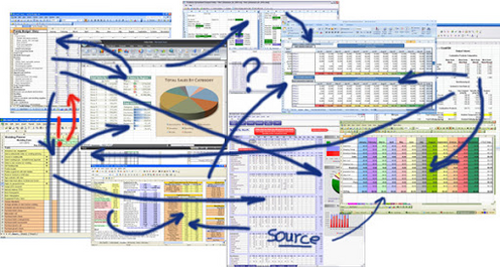
Is Excel the Best Way to Track Inventory?
While you can certainly create inventory tracking spreadsheets in Excel, it is not the best option for inventory management — especially for complex manufacturers.

How will Artificial Intelligence Impact ERP Software?
AI technology built directly into ERP systems can help automate routine processes or create better user experiences by learning and adapting to user's language, allowing systems to better understand and respond to users.

What’s New in the HubSpot–Genius ERP Integration
See how our integration with HubSpot connects customer information, quotes and sales orders across both systems.

A manufacturing ERP that works as hard
as you do.
Give us a call to see how we’re different.

