

Share article


To improve your margins, you first need to know what each job actually costs. For custom manufacturers, that can be difficult. Every job is different, and costs can change as work moves from engineering through production.
Because each item you manufacture is custom-built, there may not be a previous spec to base the job on. That makes it hard to know what a job will cost—and what to charge the customer. If you don’t charge the right price, your margins and profitability will be off. Without accurate job costs, it is difficult to know whether your prices cover labor, materials, overhead and other expenses—or whether a job is profitable at all.
A manufacturing ERP brings these costs together, giving you the information you need to price work more accurately, catch overruns and protect your margins.
In this article
Accurate job costing helps custom manufacturers understand what each job truly costs and whether it is profitable. Learn how a manufacturing ERP can help you track costs, control labor, improve estimates and protect your margins.
Let’s back up for a second—what is job costing? And how do you do it?
Job costing consists of the combined value of the labor, engineering, materials, outside processing, freight and manufacturing overhead incurred in producing a job’s line items or deliverables.
Using an ERP to determine job costs is one of the most effective ways custom manufacturers can determine their true job costs. Because custom manufacturing is a complicated process that involves many departments, components, tasks, and long-lead items, an integrated system, like an ERP, can help you better get a handle on all of the elements that make up job’s true cost.
The use of a robust and integrated ERP solution will stop the broad (and usually wrong) assumptions and guesswork associated with job planning and costing, and lets you use accurate and real-time data and metrics to determine real job costs. An ERP tracks all of the costs of a manufactured item or a process including material, labor, equipment, outsourced operations, as well as other resources that are directly required to manufacture an item. An ERP will also include detailed analysis and reporting tools that will allow you to drill down and identify the true costs and profit margins of your operation.
Why do you need accurate job costing?
Custom manufacturers need accurate job costing to determine how much a job costs and what price to charge their customers. What job costing comes down to is: “Are you losing money or making money on a job?” You know what the answer to that question needs to be.

Without proper job costing, you may have run into one or more of these problems:
- Significant differences between actual costs and presumed costs
- Decreased margins and profits
- Tension within project teams and amongst management
- Poor customer relationships
- Limited knowledge of your company’s profitability
Accurate job costing is one of the biggest factors affecting your bottom line. Precise job costing not only tells you how much each job actually costs—and whether you are making money—it also helps you identify where you can become more efficient and save on costs.
Job costing provides management with accurate, timely cost information, allowing you to make informed decisions about production, pricing, process efficiency and more.
What is job costing, and how does an ERP help?
Job costing is the combined value of labor, engineering, materials, outside processing, freight and manufacturing overhead incurred in producing a job’s line items or deliverables.
Using an ERP to calculate job costs is one of the best ways you can determine your true costs. Because custom manufacturing is a complicated process that involves many departments, components, tasks, and long-lead items, an integrated manufacturing ERP system can help you better get a handle on all of the elements that make up a job’s true cost.
Instead of relying on broad—and often inaccurate—assumptions, you can use real-time data to determine what a job truly costs. An ERP tracks costs such as materials, labor, equipment and outsourced operations, along with the other resources directly required to manufacture an item. Its analysis and reporting tools also let you drill into this information to understand the costs and profit margins across your operation.
What are the benefits of using an ERP for job costing?
A fully integrated manufacturing ERP system like Genius ERP lets you trace costs throughout production and gather information at every step. You can create a complete job cost for every job in your shop and make faster, better-informed decisions about which jobs to take on, what prices to charge and where to reduce costs.
An ERP also lets you view real-time progress and costs against approved project plans. If you see an overrun in one area, you can address it immediately. If a job is falling behind, you can adjust resources to help get it back on track and avoid costly delays and errors.
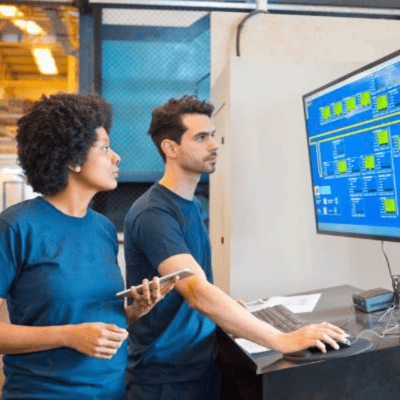
With Genius ERP, you can:
- Increase profitability by accurately measuring job costs, comparing to your initial estimate, to target profit/loss centers
- Track standard, average and actual product costs
- Use real-time job costing to improve on the fly and better predict your profit
- Quickly determine actual vs. standard cost variances
- Be able to analyze profitability by job, project, or contract
- Easily drill down to determine profit/loss down to the item number
- Create job cost budgets from estimates or work orders
How better labor-cost control protects your margins
Labor is one of the largest costs for many manufacturers, so understanding how employees spend their time is necessary to protecting margins. Yet tracking labor, spotting inefficiencies and determining the true labor cost of each job can be difficult and time-consuming—especially when information is recorded on paper or in spreadsheets.
A manufacturing-specific ERP gives you real-time shop-floor data, including the time employees spend on individual jobs and operations. Employees can log in and out of jobs as they work, giving managers a clearer picture of job progress, labor costs and where bottlenecks are slowing production.
This information also makes job costing more accurate. Instead of relying on estimated hours, you can compare the labor planned for a job with the time actually spent completing it. If actual labor consistently exceeds the estimate, you can investigate the cause and use what you learn to improve processes, schedules and future quotes.
Dashboards give managers access to current production and labor information without having to manually collect and combine updates. Moving away from paper-based tracking also reduces the risk of lost timesheets and provides a more reliable record of direct labor for each job.
Because labor information is linked to the rest of the job record, managers can view it alongside material, equipment and outside-processing costs. This provides a more complete view of the job while there is still time to respond to an overrun, not only after the work is finished.
Optimize production to lower labor costs
An ERP can use historical data, current workloads and shop-floor capacity to help you schedule machine time and labor more accurately. You can look ahead at production demand, make better staffing decisions and give employees clearer direction about what to work on next. This helps reduce time spent waiting for work, materials or instructions.
Shop-floor data can also reveal recurring bottlenecks and non-value-added activities. If an operation repeatedly takes longer than planned, you can determine whether the issue lies with the estimate, workflow, equipment, training or availability of materials. Addressing these problems can shorten production times and lower the labor cost of each job.
Reduce engineering time and duplicate work
Labor costs begin accumulating before a job reaches the shop floor. Engineering teams can spend significant time manually transferring bills of materials, routing instructions and other production information from a CAD system into an ERP.
Connecting CAD and ERP systems reduces duplicate entry and the time required to check that information has been transferred correctly. This frees engineers to spend more time designing and refining products. It also gives purchasing and production earlier access to the details they need, while better engineering decisions can save time and materials later in production.
Turn job-cost data into better estimates
Knowing the final cost of a job is valuable, but the greater benefit comes from applying that information to future work. Comparing estimated and actual costs shows you where labor, material or outside-processing expenses differed from the plan.
Over time, this history helps your estimating team build more accurate quotes based on what similar work actually required. It also helps management identify which types of jobs, customers or products are most profitable—and which may need different pricing or processes. Instead of discovering a margin problem after several similar jobs, you can use current and historical data to correct it sooner.
Beyond job costing: 7 more ways to increase your margins
Your margin is the gap between what you charge and what a job costs you, so every improvement comes down to one of two things: raising the price you get or lowering the cost you incur. Job costing shows you where you stand. The practices below are the other levers manufacturers can pull, and a manufacturing ERP supports each one.
1. Price based on real costs, not habit
Many shops price from the last similar job or from what a competitor charges. Current material prices, labor rates and overhead should drive your quotes instead. When your quoting and estimating draws on the same data as your job costs, you can see at the time of the quote whether a price protects your margin, and where discounting would cut into it.
2. Buy smarter
Materials are a major cost for most manufacturers, and small differences in price add up across a year of purchasing. Send requests for quotes to several suppliers at once, then compare them on price, quality and delivery date, not price alone. With purchasing connected to your projects and inventory, you can also combine purchases across jobs to strengthen your position with suppliers.
3. Keep the right amount of inventory
Too much stock ties up cash and shelf space. Too little leads to stockouts, idle machines and rush freight. Inventory management that works from real-time stock levels, planned delivery dates and the materials your open jobs require tells you when to reorder, so you hold what you need and no more.
4. Reduce scrap and rework
Every part that is scrapped or reworked costs you the material, the labor and the machine time twice. Capturing quality results and recording where problems occur lets you find recurring causes, such as a specific operation, material or setup, and fix them at the source instead of absorbing the cost job after job.
5. Deliver on time without paying for it
Missed due dates lead to overtime, expedited shipping and strained customer relationships, all of which eat into the margin. A realistic schedule built on actual capacity and current workloads keeps work moving and cuts the last-minute scrambling. See our tips on smart scheduling to reduce downtime.
6. Cut administrative overhead
Overhead is part of every job’s cost, and manual data entry is overhead you can reduce. Automating document handling, such as invoices and purchase orders, frees your team from retyping information and reduces errors. Genius IDP captures data from supplier documents and routes them for approval, so staff spend their time on work that grows the business.
7. Focus on your most profitable work
Not every job, customer or product earns the same margin. Once your costs are accurate, compare profitability by job, project, customer and product. You may find work that deserves a price increase, a different process, or a polite decline, and work that deserves more of your capacity.
Final thoughts
Increasing your margins starts with knowing your true job costs, and continues with better pricing, smarter buying, tighter inventory, fewer errors and less administrative work. By bringing labor, material, engineering and production costs together, Genius ERP helps you understand where money is being made or lost and take action to improve margins.
To learn more about how Genius ERP can benefit your business, download one of our eBooks or check out our case studies.

Get your eBook Scared to implement a new ERP?
"*" indicates required fields
Explore related articles
Article - November 04,2026
Is Excel the Best Way to Track Inventory?
Accounting - Engineering - ERP - Scheduling
While you can certainly create inventory tracking spreadsheets in Excel, it is not the best option for inventory management — especially for complex manufacturers.

Article - October 13,2026
How will Artificial Intelligence Impact ERP Software?
Industry News - Production Planning - Shop Floor
AI technology built directly into ERP systems can help automate routine processes or create better user experiences by learning and adapting to user's language, allowing systems to better understand and respond to users.

Webinars - October 16,2026
What’s New in the HubSpot–Genius ERP Integration
ERP - Genius News - Integration
See how our integration with HubSpot connects customer information, quotes and sales orders across both systems.

A manufacturing ERP that works as hard
as you do.
Give us a call to see how we’re different.
Request a demo

