Article

How Better Scheduling Helps Reduce Downtime in Manufacturing

ERP - All industries

Two manufacturers are adjusting a machine on the shop floor.

Downtime is expensive. When people, machines, or materials aren’t moving, production slows down, costs go up, and schedules fall apart. But most downtime isn’t caused by broken equipment. It’s caused by planning issues, such as missing parts, unclear priorities, last-minute changes, or jobs getting stacked on top of each other when the shop doesn’t actually have the capacity to handle them.

Most downtime can be traced back to scheduling: inaccurate timelines, unclear priorities, and outdated plans that don’t reflect real capacity.

Downtime can be prevented, though, by improving how you plan and schedule your shop. By creating realistic schedules based on actual capacity and ensuring your team has the necessary visibility, you can maintain a steady production flow and significantly reduce unplanned downtime.

In This Article

We’ll look at what downtime really is, why so much of it ties back to scheduling, and the practical strategies manufacturers can use to keep their shops running smoothly. We’ll also explore how Genius ERP’s Smart Scheduling system takes these practices even further by providing real-time visibility and capacity-based planning built directly into your ERP.

What is Downtime in Manufacturing?

Downtime is any time production stops when it shouldn’t. It comes in two forms: Planned and unplanned.

Planned Downtime

This includes scheduled maintenance, changeovers, safety checks, breaks, training, shift changes, cleaning, and other intentional stops. Planned downtime isn’t a problem on its own, as long as it’s accounted for properly in the schedule.

Unplanned Downtime

This is where manufacturers lose the most time and money. Unplanned downtime includes:

  • Waiting for materials
  • Missing or incorrect job information
  • Machine breakdowns or unexpected maintenance
  • Bottlenecks holding up multiple jobs
  • Waiting on engineering changes
  • Poor sequencing or too many changeovers
  • Labour shortages or skill mismatches
  • Priority changes made too late

Nearly all of these issues come back to planning and scheduling.

For example, if materials aren’t on hand when needed, workstations stop. If a job takes longer than estimated, everything behind it gets pushed back. If the schedule overloads a bottleneck, multiple jobs end up waiting.

Without a clear, realistic schedule — and the visibility to manage changes as they happen — unplanned downtime becomes a daily problem.

The right scheduling practices can turn this around.


schema blue background texture

Smart Scheduling

How Better Scheduling Helps Reduce Downtime in Manufacturing

When you build schedules based on real capacity and up-to-date information, your shop becomes more predictable and efficient. Operators know what they’re working on. Workflows stay balanced. Bottlenecks are managed. And changes stop turning into crises.

Below is a list of the six most effective ways to improve scheduling to reduce downtime.

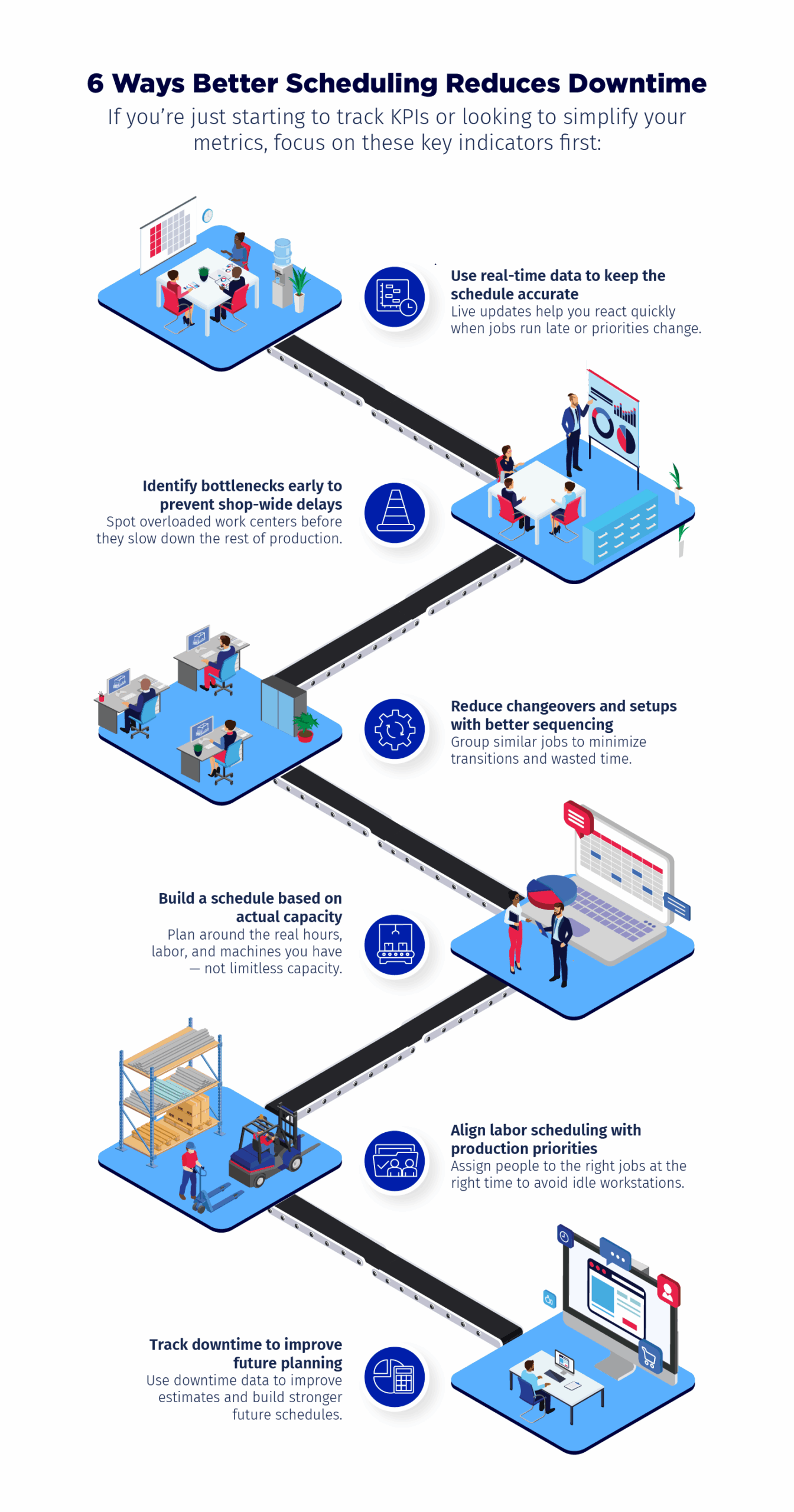
6 Ways Better Scheduling Reduces Downtime

    1. Use Real-Time Data to Keep the Schedule Accurate

One of the biggest causes of downtime is not having accurate, up-to-date information. If your schedule doesn’t reflect what’s actually happening on the shop floor, it’s impossible to react quickly when a job runs late or something unexpected comes up.

Real-time data gives production managers the ability to:

  • See job progress as it happens
  • Compare planned hours to actual hours
  • Track material availability in real time
  • Identify delays before they become major problems
  • Adjust the schedule on the fly when needed

This prevents small delays from snowballing into hours of lost production. Without real-time visibility, you’re always reacting late — and that’s when downtime becomes expensive.

    2. Identify Bottlenecks Early to Prevent Shop-Wide Delays

Every shop has one or two work centres that tend to slow everything else down. Maybe it’s machining. Maybe it’s welding. Maybe it’s a single specialised workstation.

When too many jobs hit that bottleneck at once, downtime spreads across the entire shop.

Good scheduling practices help you:

  • Identify bottlenecks before they form
  • See which jobs are stacking up
  • Shift labour or reprioritise work
  • Spread demand more evenly across work centres

Rather than discovering the bottleneck once the entire shop has stalled, you see it forming in advance — and you can do something about it.

This is one of the fastest, most reliable ways to reduce downtime.

    3. Reduce Changeovers and Setups with Better Sequencing

Changeovers are unavoidable, but they are also one of the most overlooked sources of downtime.

Poor sequencing — jumping back and forth between different types of jobs — can lead to:

  • Repeated machine resets
  • Lost time setting up tooling
  • More chances for error or rework
  • Operators waiting while equipment is adjusted

Better sequencing groups similar jobs together whenever possible. This helps you:

  • Reduce the number of changeovers
  • Shorten setup time
  • Keep work flowing smoothly
  • Lower the risk of errors and misconfigurations

Even small reductions in setup time add up. For shops with lots of custom work or small batches, this can have a major impact on reducing downtime.

    4. Build a Schedule Based on Actual Capacity

Infinite scheduling — planning as if your machines, labor, and hours are unlimited — creates chaos.

It leads to:

  • Overloaded work centres
  • Jobs waiting because no one is available
  • Unrealistic deadlines
  • Operators constantly switching priorities
  • A schedule that no one trusts

Finite scheduling avoids these issues by planning based on actual capacity:

  • Actual machine availability
  • Actual labour hours
  • Actual skill sets
  • Actual shift schedules
  • Actual planned downtime

This makes your schedule realistic and achievable. Jobs flow at a steady pace. Workstations aren’t overloaded. And operators spend less time standing around waiting for the next job.

Finite scheduling is one of the best ways to reduce unplanned downtime because it removes the guesswork and builds the schedule around what your shop can actually handle.


schema blue background texture
eBOOK

Smart Scheduling

    5. Align Labour Scheduling with Production Priorities

A lot of downtime happens simply because the right people aren’t assigned where they’re needed. Even if equipment is ready, production stalls when the operator with the required skills is tied up elsewhere.

Better labour scheduling helps you:

  • Match people to the right jobs
  • See who is available and when
  • Account for skills, certifications, and experience
  • Balance demand between departments
  • React quickly when someone is absent

When labour is scheduled with production in mind, machines stay running and jobs move through the shop faster. This reduces idle time — both for people and equipment.

    6. Track Downtime to Improve Future Planning

You can’t eliminate downtime entirely, but you can learn from it.

Tracking downtime helps you:

  • Identify recurring issues
  • Understand where delays actually come from
  • Improve your estimates and time standards
  • Strengthen your scheduling accuracy
  • Reduce the likelihood of repeat problems

This is where ERP is especially valuable. When downtime is logged directly into the system, planners get real numbers — not guesses.

Over time, this leads to more accurate planning, fewer surprises, and less downtime overall.

How Genius ERP’s Smart Scheduling Helps Manufacturers Reduce Downtime

Everything above can be done manually — but it’s a lot of work. And it’s nearly impossible to keep up with constant changes without a system that updates the schedule automatically.

This is where Genius ERP’s Smart Scheduling makes a big difference. Smart Scheduling takes the best scheduling practices and turns them into a real-time, capacity-based scheduling engine.

schema blue background texture
Webinar

Scheduling – A Real Challenge for Manufacturers

Smart Scheduling helps reduce downtime by:

Giving you real-time visibility

You can see job progress, machine availability, and labour allocation as it happens — so you can react before issues turn into delays.

Balancing workloads automatically

The system spreads demand across work centres and prevents bottlenecks before they form.

Building a schedule you can rely on

Smart Scheduling plans around your actual capacity — your real machines, real shifts, and real labour.

Updating the schedule instantly when things change

If a job takes longer than expected or a priority shifts, the system recalculates the schedule right away.

Connecting planning to execution

Everyone sees the same priorities, the same timelines, and the same realistic plan — reducing confusion and downtime across the shop.

Helping you sequence work more efficiently

Jobs with similar setups can be grouped to reduce changeovers and wasted time.
Smart Scheduling turns your plan into something the entire shop can trust. And when your schedule is solid, downtime drops — often significantly.

Final Thoughts

Reducing downtime isn’t about working harder — it’s about planning smarter. When manufacturers use strong scheduling practices and reliable data, production becomes more predictable. Bottlenecks shrink. Setup times drop. Labour is used more effectively. And the shop floor runs at a steadier pace.

The right tools make this even easier. With Genius ERP’s Smart Scheduling system, manufacturers get the clarity, visibility, and capacity-based planning they need to keep production flowing and reduce downtime across the entire shop.

Want a closer look at how Smart Scheduling works? We can show you how it fits your processes and your shop layout

"*" indicates required fields

This field is for validation purposes and should be left unchanged.
close-btn

Let’s talk about your shop

We’ll get back to you within one business day.
No spam, just a real conversation.